
Four New Features for January 2026
A new year has begun and we are delighted to introduce several new, useful settings and features in the system - read more here.

Skrevs av Julia von Melen - 2026-01-26
Software updates
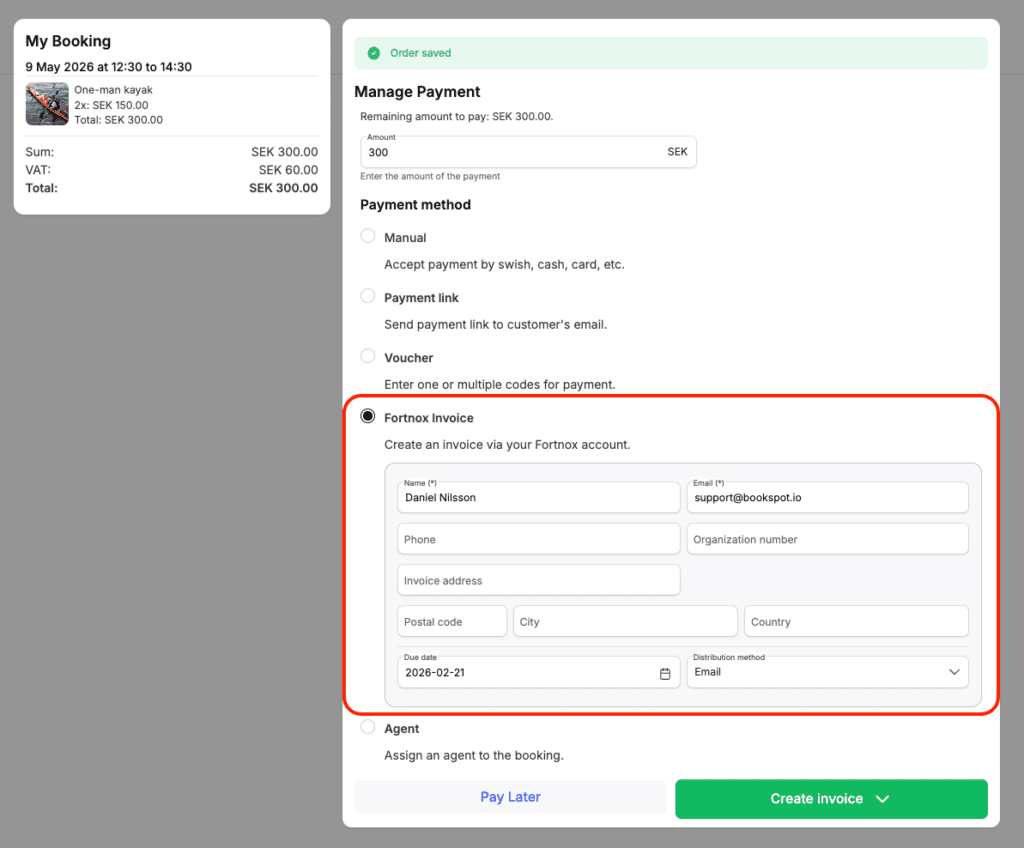
1. Send invoices directly from BookSpot with Fortnox
You can now send invoices directly from BookSpot via our integration with Fortnox (a Swedish accounting software). This means you can create, preview and send invoices as part of the booking flow, without ever leaving BookSpot. The invoice payment status is automatically updated from Fortnox, giving you better visibility and less manual work.
The integration makes it easy to keep bookings, invoicing and accounting in one smooth workflow – so you can spend less time on administration and more time running your business.
Want to get started? Activate the Fortnox integration under Settings > Integrations > Fortnox, and start invoicing directly from BookSpot, or read more here.
2. Find and manage abandoned bookings
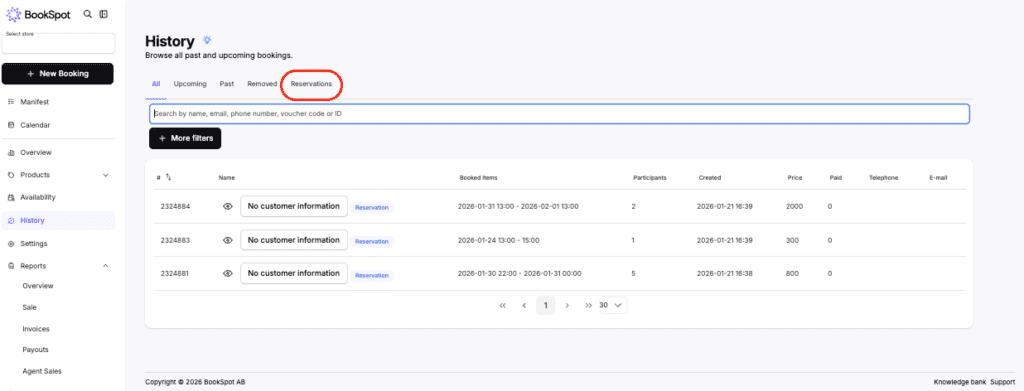
You now have a clearer overview of reservations in BookSpot. This makes it easy to follow up on bookings that were not completed, for example if you want to contact a customer who abandoned their booking, or if a customer gets in touch and needs help completing an ongoing reservation. Less searching, more control, and a smoother experience for both you and your customers.
All reservations that have been created but not completed in the last 60 days are now collected under History > Reservations.
3. Import vouchers from csv into BookSpot
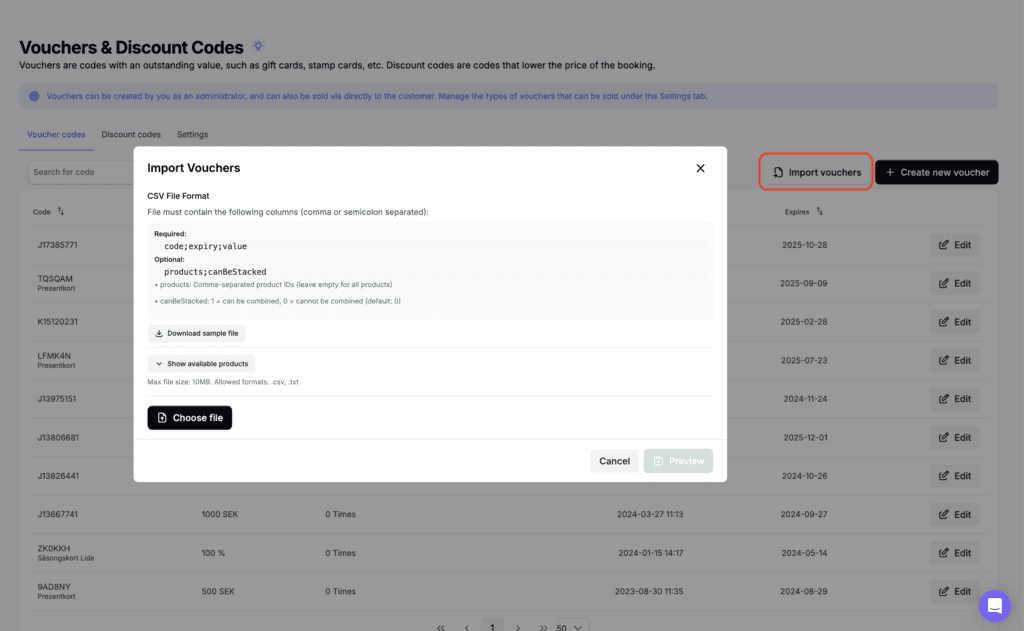
You can now easily import value codes from Excel directly into BookSpot. Instead of adding codes manually, simply upload an csv file and have all value codes created in one go.
This is perfect if you already have existing codes from a previous system, or if you manage many gift cards or codes from external partners and want to save time, reduce the risk of errors and get a better overview codes.
You can import your codes and view an example file under Products > Value & Discount Codes > Import vouchers, or read more here.
4. Acceptance of terms in payment links
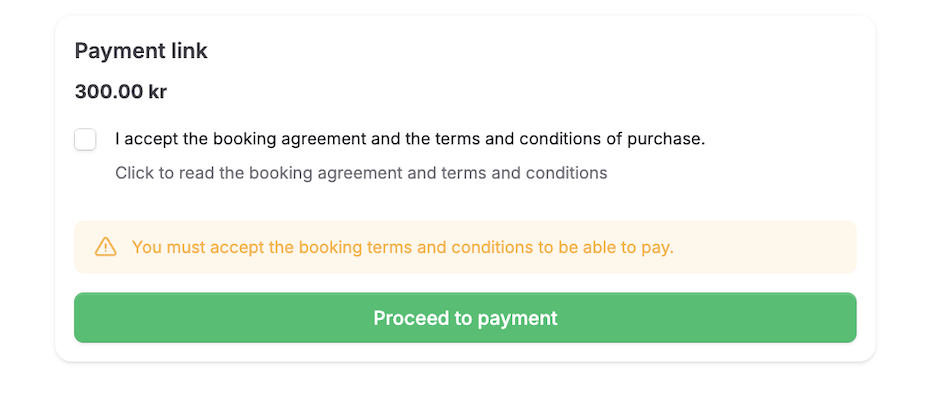
To increase security and peace of mind for every booking, customers who pay via a payment link must now actively accept your booking terms and conditions.
This means the terms are always confirmed before the payment is completed, giving you better protection as a business and clearer agreements with your customers. A small but important improvement that increases clarity, reduces the risk of misunderstandings and creates a safer payment experience for both parties.
Any questions?
If you have any questions or would like a walkthrough of the new features, you’re always welcome to contact our support team or book a consultation.